
2–3 weeks
AI Sprint
$5,000
Call summaries and CRM updates for your sales or client calls, with follow-up drafts. Live in 2–3 weeks.
- Written scope and launch date
- Built, tested and live
- Training for your team
- 30 days of fixes

After every sales or client call, AI writes the summary, lists the next steps, updates the CRM and drafts the follow-up email.
Before you buy
Calls regularly produce action items that your team must manually enter into a CRM, and existing integrations are inadequate.
A meeting-note subscription already captures the information you need. Start there before commissioning custom work.
Recording permissions, sample audio, CRM fields, retention settings, and approval for important updates.
How to judge the result: Compare note accuracy, CRM completeness, correction time, and missed action items.
Follow one realistic example from the first input to the result your team receives.
You show us the process. We ask where it breaks.
The problem
Sales reps hate typing them.
Promises made on calls slip.
Unless they sit in on every call.
What you get
Built on your tools and your data, tested on real cases, and handed over so you own it.
Zoom, Google Meet, Teams or phone.
Who promised what, by when.
Deal stage, notes, tasks and contacts.
Ready to send within minutes of the call.
Captures what your process needs, like budget or timeline.
Ask "what did they say about pricing?"
How you buy it
A focused workflow may fit a $5,000 sprint. Full applications and larger integrations need a separate Custom Build quote from $15,000. Ongoing support is optional. Live by the agreed date, or the final scheduled installment is waived.
2–3 weeks
$5,000
Call summaries and CRM updates for your sales or client calls, with follow-up drafts. Live in 2–3 weeks.
Month to month
from $3,500/mo
More call types, better summaries from feedback, coaching insights and a monthly report.
How it works
You show us the process. We ask where it breaks.
Written scope, price and launch date.
Weekly demo, on your real data.
Your team uses it. We fix anything for 30 days.

Who it's for
Every build is shaped around your tools, your data and how your team works.
Built before
Real screenshots, client names kept private.
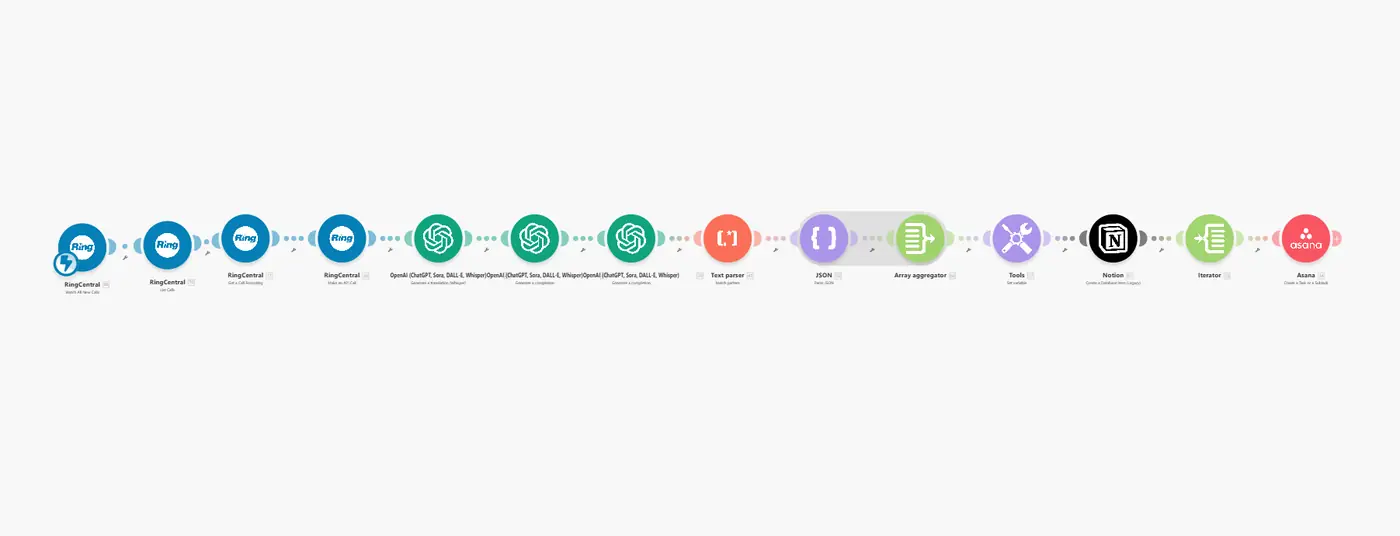 Full workflow
Action items from calls were lost because notes were patchy.
MakeRingCentralOpenAINotionAsana
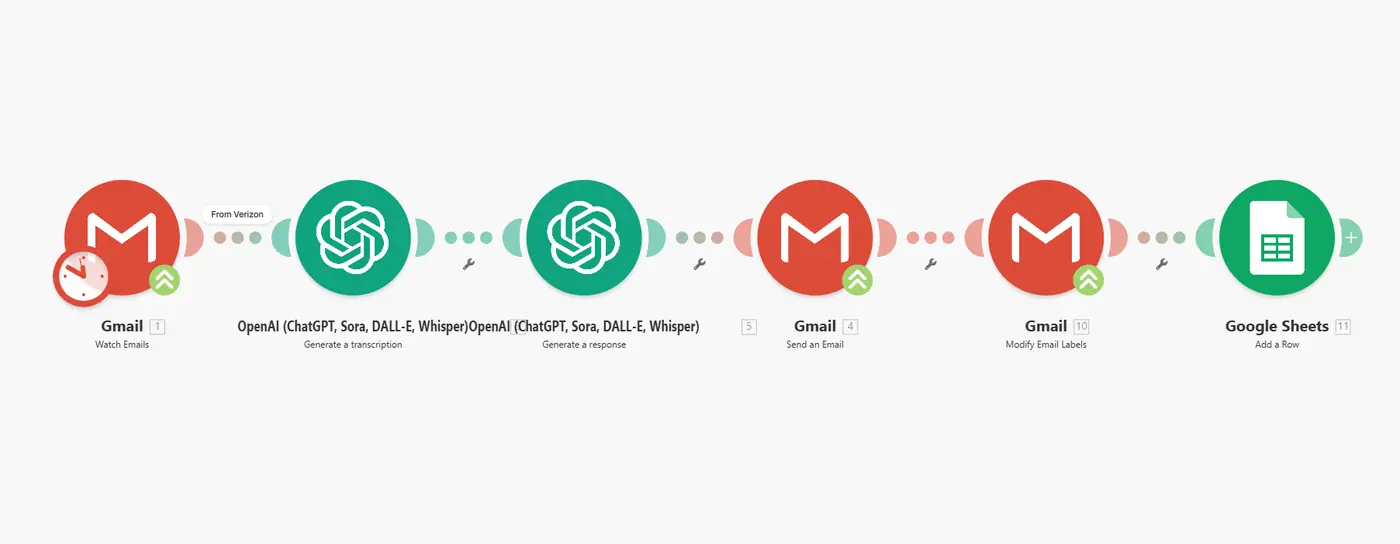 Full workflow
Voicemails piled up and nobody had time to listen to each one.
MakeOpenAI WhisperGmailGoogle Sheets
Questions
Yes. We set up clear recording notices and follow consent rules for the states you call into.
HubSpot, Salesforce, Pipedrive, HighLevel and most others with an API.
Very good on clear audio. Key fields can be marked for a quick human check before they update the CRM.
In your own accounts, with retention rules you choose.
More solutions
Request a free consultation. You get a fixed, written quote within 24 hours.